Teams
Teams displays all teams in the organization.
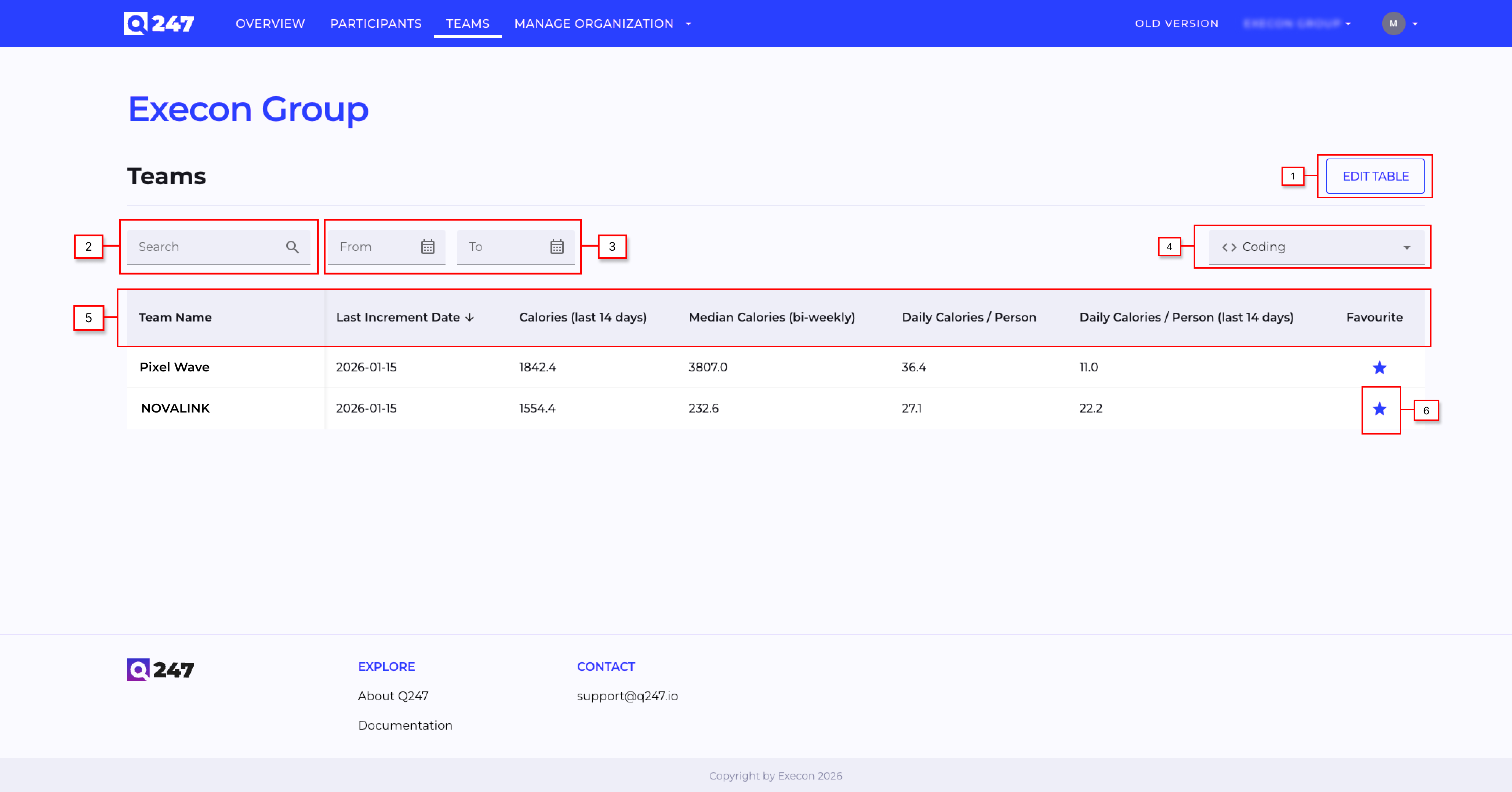
- Edit Table button which opens a pop-up window where user can configure which columns in the table are visible (if the number of columns exceeds width of the table then there is a horizontal scroll in the bottom of the table)
- Search engine input field which allows user to find a particular project in the table
- Filters the table to display Total, Coding, or Documentation data.
- Date picker which allows user to restrict presented projects to a set of dates based on activity of participants in the project
- Table header where each column header allows to sort content of the table by that columns content
- Favourite icon which allows user to mark given project as favourite. Marking a project as favourite results in presenting that project in dedicated section on the Overview page