Auto-exclude cherry-pick, revert, rebase and squash commits from statistics
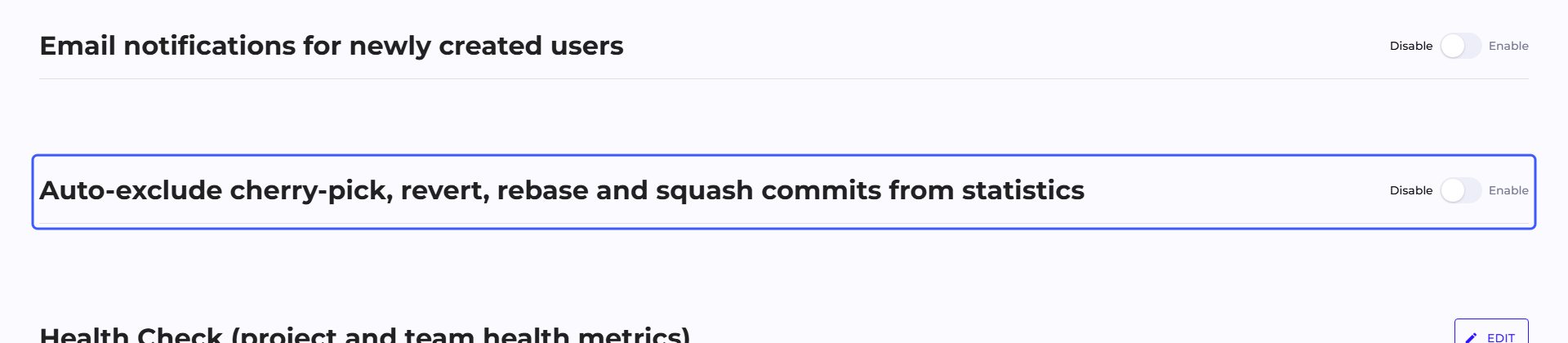
The toggle is on the Configuration tab of the Organization Management panel, in the section "Auto-exclude cherry-pick, revert, rebase and squash commits from statistics".
An enabled Off/On toggle makes commits recognized as a cherry-pick, revert, rebase or squash not count toward Calories and Lines or Retention, so the same work (moved from another branch, reverted with a Git command or by hand, recreated, combined into one commit) is not counted toward statistics more than once.
Recognition rules
Every commit gets one of five classifications: normal, revert, cherry-pick, rebase duplicate, or file content repeated from an earlier commit. Recognition works independently of the toggle, so the classification is always recorded; the toggle only decides whether a recognized commit drops out of statistics.
| Classification | What the recognition is based on |
|---|---|
| Revert | the line This reverts commit <identifier>, which Git appends to the message on git revert. It is the message body that counts, not its first line. |
| Cherry-pick | the annotation cherry picked from commit <identifier>, which Git appends on git cherry-pick -x. |
| Rebase duplicate | two rules, checked in this order. The first compares the content of the change: the commit introduces the same change as an earlier commit in this repository (a matching change fingerprint from git patch-id), also with a different author and a different date. The second compares the commit against already counted commits: the same repository, the same author, the same authoring timestamp and the same set of changed files. This second rule compares only file paths, without their content. |
| File content repeated from an earlier commit | comparison of file content: every file changed in the commit has exactly the content it had after one of the earlier commits in this repository. Two cases match. A commit combined by squash contains files in the form they already had after the commits of the merged branch; the commit after the squash gets the classification, and the branch commits count as before. A manual revert of changes or restoring a file to an older version recreates content the file had before the reverted changes. |
Revert and cherry-pick are recognized only from the commit message. The remaining three rules compare a commit against earlier commits of the same repository, and they are the ones that catch commits without any annotation: identifiers rewritten after a rebase or force push, a cherry-pick without -x, a squash and a manual revert of changes. Q247 checks the rules in the order of the table and assigns the classification of the first one that matches, so a commit with a git revert annotation stays a revert.
The rule that compares change content and the rule that compares file content work only for commits fetched after the plugin update.
Private Plugin must be version q247-enterprise-plugin-linux-v2.7.9 or later. An older plugin keeps working, but the commits it fetches do not get the new markers. Cloud Plugin is installed and maintained by Q247 (Two deployment models).
Limits of this mechanism
They explain results that look like a bug:
- A manual revert is recognized only in full. Reverting changes without Git's annotation, for example via
git revert --no-commitand a custom message, is recognized as file content repeated from an earlier commit when every changed file returns to content it already had at some point. A commit that reverts changes in only some of the files, or only some of the changes in a file, stays an ordinary commit. - A cherry-pick without the
-xflag leaves no annotation, and a rebase can change the authoring timestamp. Such copies are recognized by the rule that compares change content, also when the copy has a different author or a different date than the original. - The rule that compares change content also covers three lines of context around the change. A copy in which that context or the file name changed is not associated with the original by this rule. The remaining rules then decide on recognition.
- A file rename, a file copy and an empty commit are not recognized as file content repeated from an earlier commit.
- The rules that compare commits work within a single repository. A commit moved to a fork or to a mirror copy of the repository is not associated with the original by any of them.
- Only the revert itself is excluded, the reverted commit stays. Work that was reverted is therefore counted once, not zero times.
- Two different commits by the same author, with the same timestamp and the same set of files, will be treated as a duplicate. This happens with script-generated commits or mass formatting.
- A manual decision takes precedence. A commit manually included in statistics stays in them regardless of classification, as described in the section below.
Changing the toggle does not rewrite all commits at once. Q247 fills them in, in batches, in the background, so on a large organization the statistics change over several successive passes, not immediately after saving. Retention changes at the same pace.
There is no save button here and no confirmation prompt. Clicking it immediately changes how statistics are calculated for the whole organization.
Excluding a single commit
Beyond the automatic rule, a specific commit can be excluded. This action takes place outside Configuration: in the commit details window, opened from the increment list on the Project, Team and Participant pages. A button with an eye icon next to the commit serves this purpose. Its tooltip names the action: for a commit counted toward statistics "Exclude from stats", for an excluded one "Include in stats", so the decision can be reversed at any time.
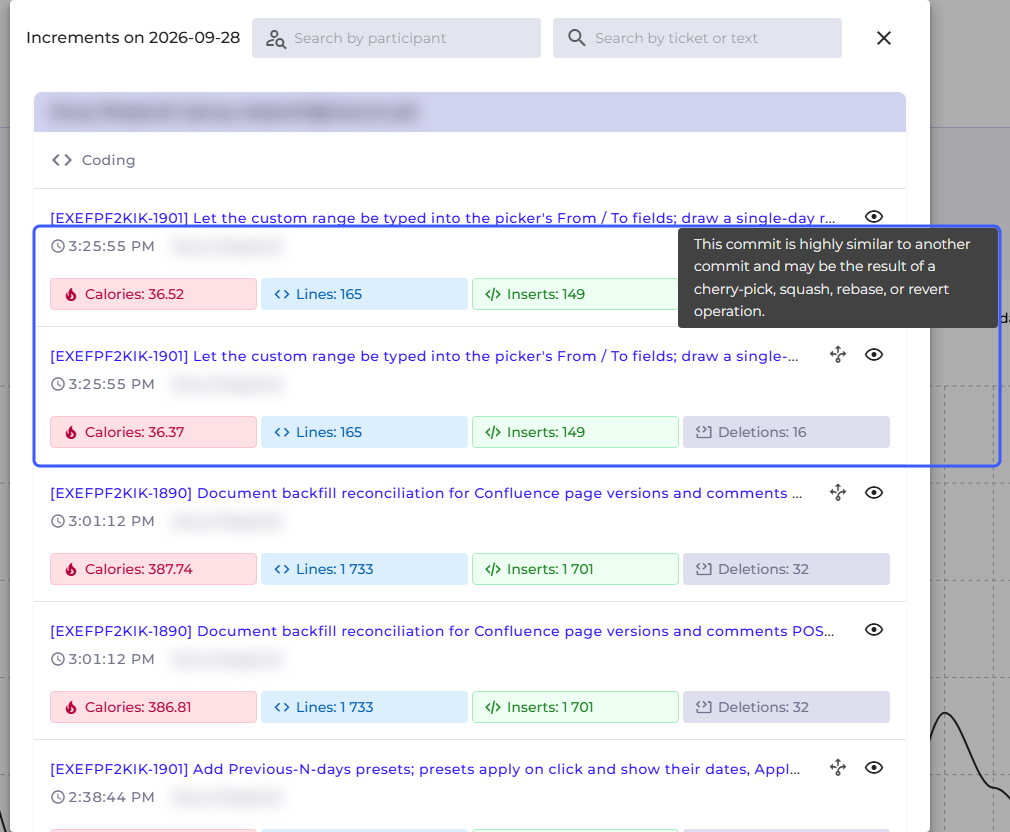
In the same window, a commit recognized by any of the recognition rules, including a revert, has an icon with a tooltip: "This commit is highly similar to another commit and may be the result of a cherry-pick, squash, rebase, or revert operation." The icon appears regardless of the toggle in Configuration, so it is also visible next to commits that still count toward statistics. The window does not point to the original commit.
For an excluded commit, the button tooltip has a second line with the reason for the exclusion. There is always exactly one reason, chosen in this order: "Manually excluded", "Automatic classification (cherry-pick/revert/rebase/squash)", "Calorie limit exceeded". A commit excluded manually that also matches the recognition rules therefore shows only "Manually excluded". The reason "Calorie limit exceeded" applies to a commit whose Calories exceed the threshold of the "Hide increments above" setting, described in Increment visibility.
Permissions for this action differ from the permissions for the other settings on this tab. A commit can be excluded from statistics and restored by:
- the team manager of the team the commit author belongs to, or of a parent team in the tree,
- the manager of the root of the team tree, for any commit in the organization,
- the project manager of the project the commit comes from,
- the manager of a team assigned to the project,
- the manager of the team the project manager belongs to.
The manager of the commit author's team and the manager of a parent team have this action in every project, including one they have no access to themselves. The team manager is the Manager team role, described in Permissions.
The Viewer project access level, the regular project participant and the team member do not grant this action on their own. Neither does the Admin role, which does not open access to business data: an administrator without one of the roles on the list will not see the action. Q247 checks availability for each commit separately: when the window shows several commits, the button with the eye icon may appear for only some of them. The full breakdown is described in Permissions.
The exclusion applies to a single commit and covers all metrics calculated from its content: Calories, Increments and Lines and everything derived from them.
A commit restored with the "Include in stats" action also counts toward Retention and the R30 indicator in the AI Adoption panel. A manual decision does not, however, override an exclusion by file patterns.
The Retention columns and the R30 indicator in AI Adoption show the change after the commit details window is closed, while the other table columns, for example Calories, show it after the next recurring background recalculation.
See also
- File Pattern Exclusions: skipping whole categories of files
- Increment visibility: the threshold above which an increment hides from lists
- Permissions: who can exclude a commit, and who can change organization settings